
Have you ever wondered how your fitness app knows exactly how many steps you’ve taken each day? It feels like magic, but there’s a smart technology working quietly inside your phone or watch.
Understanding how your app tracks steps can help you trust the numbers and stay motivated on your fitness journey. Keep reading, and you’ll discover the simple science behind step counting—and why it matters for reaching your goals.

Credit: www.apptunix.com
The Basics Of Step Tracking
Step tracking is a key feature in fitness apps. It helps users see how much they move each day. The app uses technology to count each step you take. This section explains how step tracking works in simple terms.
How Sensors Detect Movement
Fitness apps use sensors inside your phone or wearable device. These sensors detect motion and changes in direction. The most common sensor is the accelerometer. It measures speed and movement in all directions. When you walk, the accelerometer senses the rhythmic motion of your steps.
Converting Movements Into Steps
The app processes sensor data to identify steps. It looks for repeated patterns in the movement. Each pattern matches a step taken by the user. This process filters out random movements like shaking or driving. The app counts only clear walking or running motions.
Calibrating For Accuracy
Step tracking needs calibration for better accuracy. The app adjusts based on your walking style and phone placement. Some apps ask users to walk a short distance for calibration. This helps the app learn your unique step pattern. Regular updates improve step count precision over time.
Using Gps For Enhanced Tracking
Some fitness apps use GPS to track distance and steps. GPS tracks your location and movement outdoors. It calculates distance by measuring your route. The app converts distance into step count using your stride length. GPS helps verify and improve step tracking accuracy.
Sensors Behind Step Counting
Fitness apps count your steps by using built-in sensors in your smartphone or wearable device. These sensors detect your movements and help the app understand when you are walking or running. They work quietly in the background, tracking every step with accuracy.
Two main sensors play a key role in step counting: accelerometers and gyroscopes. Each sensor collects different types of data. The app combines this information to give a precise count of your steps.
Accelerometers
Accelerometers measure changes in speed and direction. They detect motion by sensing how your device moves in space. When you take a step, the accelerometer notices the slight up-and-down movement.
This sensor records data in three directions: up/down, left/right, and forward/back. The app uses this data to identify patterns that match walking or running. It filters out other movements like shaking or driving.
Gyroscopes
Gyroscopes measure the rotation of your device. They track how your device tilts or turns while you move. This helps the app understand the angle and orientation of your steps.
By combining gyroscope data with accelerometer readings, the app improves step detection accuracy. It can distinguish walking from other activities like cycling or jumping. This makes step counting more reliable.
Integration With Gps Technology
Fitness apps rely heavily on GPS technology to track your steps and movements accurately. This integration allows the app to gather detailed information about your location and motion patterns. With GPS, the app can provide more than just step counts—it can map your activity and offer insights into your workout routes.
Enhancing Accuracy
GPS technology improves the precision of step tracking by using satellite signals to pinpoint your exact location. This reduces errors caused by random wrist movements or device shaking that might otherwise inflate your step count.
When you walk or run outdoors, the GPS tracks your speed and distance, cross-checking these with your step count. This helps the app know if your steps match the actual distance traveled. Have you ever noticed your step count seems off after a long walk? GPS helps fix that by providing real-world data.
Tracking Routes
One of the most useful features GPS brings is the ability to map your routes. Your fitness app can show you exactly where you’ve walked, run, or cycled, letting you review your path later.
This feature helps you discover new routes or avoid busy streets. It also motivates you to explore more because you can see your progress visually. Plus, tracking routes can be a safety tool—you can share your live location with friends or family during outdoor workouts.

Credit: www.youtube.com
Algorithmic Processing
Algorithmic processing is the heart of how fitness apps track your steps accurately. It takes raw data from your phone’s sensors and turns it into meaningful information about your movement. Without these smart algorithms, your step count would be full of errors and false readings.
Data Interpretation
The app collects data from accelerometers and gyroscopes inside your device. These sensors detect changes in motion and orientation, which the algorithm then analyzes to understand your activity.
It looks for patterns that match walking or running, like repetitive up-and-down movements. The algorithm distinguishes these from other random motions, such as shaking your phone or riding in a car.
Think about when you’re tapping your phone on a table—your app usually doesn’t count those as steps. That’s because the algorithm interprets the unique signature of your actual walking motion.
Filtering Noise
Noise refers to irrelevant or misleading data that can throw off step counting. The algorithm filters out this noise by applying rules and thresholds to sensor inputs.
For example, small jitters or vibrations that don’t match the expected pattern of steps get ignored. This filtering helps ensure the app doesn’t overcount or undercount your steps.
Have you ever wondered why your step count sometimes jumps unexpectedly? That’s often due to imperfect filtering, which developers continuously improve to make your fitness tracking more reliable.
Smartphone Vs. Wearable Devices
Fitness apps track steps using sensors in both smartphones and wearable devices. Each has unique features that affect accuracy and convenience. Understanding these differences helps choose the best option for daily activity tracking.
Advantages Of Smartphones
- Built-in accelerometers detect motion for step counting.
- Always carried by users, no extra device needed.
- Large screens display detailed activity data clearly.
- Access to multiple apps for fitness, nutrition, and health.
- Cost-effective as no additional purchase is required.
Benefits Of Wearables
- Designed specifically for activity tracking and health monitoring.
- Worn on the wrist, capturing movement more accurately.
- Constant monitoring even during exercise or sleep.
- Longer battery life dedicated to fitness functions.
- Often include heart rate and other health sensors.
Challenges In Step Tracking
Tracking your steps with a fitness app sounds simple, but it comes with its own set of challenges that can affect the accuracy and reliability of the data you see. Understanding these challenges helps you interpret your step count better and adjust your expectations accordingly. Let’s look at some of the key obstacles step tracking faces.
Accuracy Issues
Step counters rely on sensors like accelerometers and gyroscopes to detect movement. However, these sensors can sometimes confuse non-walking motions, like shaking your hand or riding in a car, as steps.
This means your step count might be inflated or underreported depending on how sensitive the app’s algorithm is. Have you ever noticed your step count jump suddenly while sitting still? That’s a common example of accuracy issues in action.
To improve accuracy, some apps allow you to calibrate the sensor or manually adjust step data. Still, no app is perfect, so it’s important to use step tracking as a general guide rather than an exact measure.
Environmental Factors
Where you walk and how you carry your device can also affect step tracking. For instance, if your phone is in a loose pocket or backpack, the app might miss some steps or record extra ones.
Walking on uneven terrain or stairs can confuse sensors, causing inconsistent step detection. Weather conditions like rain or extreme cold might make you hold your device differently, impacting sensor accuracy.
Have you ever wondered why your step count varies so much on different days even with similar activity levels? Environmental factors often play a bigger role than you realize.
Future Innovations In Step Tracking
Tracking steps has come a long way, but the future holds even more exciting possibilities. Innovations will make step tracking smarter, more accurate, and tailored to your lifestyle. These advancements will change how you understand your daily activity and motivate you to move more.
Ai Enhancements
AI is set to make step tracking much smarter. Instead of just counting steps, future apps will analyze your walking patterns and detect different types of movement like climbing stairs or jogging.
This means the app can give you detailed feedback on your activity intensity and suggest personalized goals. Imagine your fitness app learning when you’re tired and encouraging you to take a break or push harder. This kind of smart coaching can keep you motivated without feeling overwhelmed.
Improved Sensor Technology
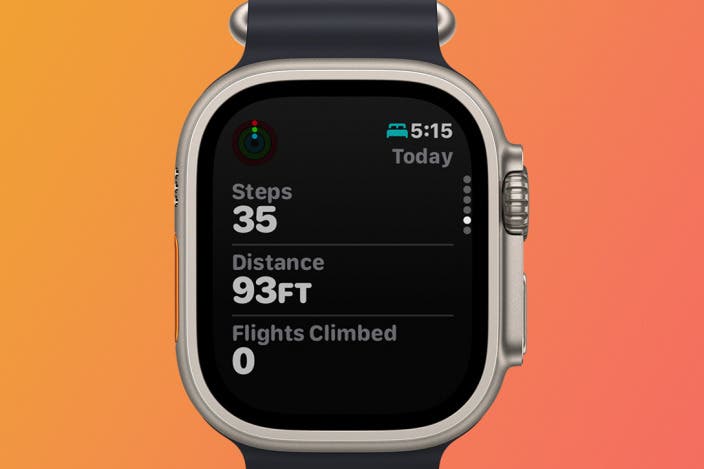
Step tracking will also benefit from better sensors in your device. New sensors will be smaller, more sensitive, and use less power, so your phone or watch can track your steps more accurately throughout the day.
These sensors can distinguish between walking, cycling, and even small movements like fidgeting. That precision helps avoid counting false steps and gives you a clearer picture of your real activity. How much more motivated would you be if your step count truly reflected your effort?
Credit: www.iphonelife.com
Frequently Asked Questions
How Does A Fitness App Count My Daily Steps?
Fitness apps use your smartphone’s accelerometer to detect motion. They analyze movement patterns to count steps accurately throughout the day.
Can Fitness Apps Track Steps Without Gps Enabled?
Yes, most fitness apps use accelerometer data to count steps. GPS is not required for basic step tracking functions.
How Accurate Are Fitness Apps In Step Tracking?
Fitness apps are generally accurate but can vary slightly. Accuracy depends on sensor quality and how the phone is carried.
Do Fitness Apps Work On All Smartphone Models?
Most modern smartphones support fitness apps with step tracking. However, older models may lack necessary motion sensors for accuracy.
Conclusion
Fitness apps count steps using sensors inside your phone or watch. These sensors detect your movement and turn it into step numbers. The app helps you see how much you walk every day. Tracking steps motivates you to move more and stay healthy.
It’s a simple way to watch your progress. You don’t need special skills to use it. Just carry your device, and it does the work for you. Step tracking makes fitness easy and clear for everyone. Try it and enjoy staying active daily.







