
Have you ever wondered how your fitness app knows exactly how many steps you take each day? It feels almost like magic, right?
But behind that simple number lies a smart technology working quietly on your phone or watch. Understanding how your fitness app tracks steps can help you trust the data it gives you and motivate you to move more. Keep reading, and you’ll discover the secrets behind step counting and how it turns your daily walk into real progress.
Smartphone Sensors
Smartphone sensors are the silent heroes behind your fitness app’s ability to count steps accurately. These tiny devices inside your phone work together to detect and interpret your movements. Understanding how they function helps you appreciate the technology tracking your daily activity.
Accelerometers Role
The accelerometer is a sensor that measures the phone’s acceleration in three directions: up and down, side to side, and forward and backward. It detects when you move by sensing changes in speed and direction. When you walk, the accelerometer picks up the rhythmic motion of your steps and sends this data to the app.
Think about holding your phone while walking—the accelerometer senses every tiny shift. It helps your app tell the difference between walking, running, or just sitting still. This sensor is crucial because without it, step tracking would be inaccurate or impossible.
Gyroscopes Contribution
The gyroscope measures the phone’s orientation and rotation. It adds another layer of detail by tracking how your phone tilts and turns during movement. This helps improve the accuracy of step counting, especially when you’re moving in complex ways, like climbing stairs or turning corners.
Imagine jogging while checking your phone’s map. The gyroscope helps the app understand your body’s twisting motions, not just straight steps. This prevents false step counts caused by random phone movements in your hand or pocket.
Magnetometer Functionality
The magnetometer senses magnetic fields, acting like a digital compass inside your phone. While it doesn’t directly count steps, it helps your phone understand its direction and orientation relative to the Earth’s magnetic field. This information complements data from the accelerometer and gyroscope for better movement tracking.
Have you noticed your fitness app adjusting when you change direction during a walk? That’s the magnetometer at work. It ensures your step data aligns with where you’re actually heading, making your activity records more reliable.
Wearable Technology
Wearable technology has transformed how you monitor your fitness daily. These compact devices sit on your wrist or clip onto your clothes, quietly gathering data as you move. They offer more than just step counts—they provide insights that motivate and guide your workouts.
Pedometer Mechanism
Your fitness app tracks steps using a pedometer built into the wearable device. This pedometer contains tiny sensors called accelerometers that detect your motion. Every time you take a step, the accelerometer picks up the movement and counts it.
Think about how your wrist moves naturally when you walk—that’s exactly what the sensor measures. It distinguishes between walking, running, or even shaking your hand, so it only logs real steps. This technology helps keep your step count accurate and reliable.
Heart Rate Monitor Integration
Many wearables include a heart rate monitor to enhance step tracking. By measuring your pulse, the app understands how hard your body is working during activity. This way, it can estimate calories burned and adjust fitness goals more precisely.
Imagine you’re climbing stairs—your heart rate spikes even if step count is low. The app captures this to give you a fuller picture of your effort. Combining step data with heart rate lets you see not just how far you moved, but how effectively you trained.
Data Processing Techniques
Fitness apps use data processing techniques to turn raw sensor data into accurate step counts. These techniques analyze signals from phone sensors to identify walking patterns. The process helps distinguish real steps from other movements.
Algorithmic Calculations
Algorithms process data from accelerometers and gyroscopes inside phones. They track changes in motion, speed, and direction. The algorithms check for repeated patterns that match walking.
Simple filters remove noise and random movements. Thresholds set limits on acceleration to count steps only when certain motion levels occur. This keeps step counts accurate and avoids false readings.
- Detect peaks in acceleration data
- Measure time intervals between steps
- Ignore small or irregular movements
These calculations run continuously, updating step counts in real time. The algorithms improve with each update to handle different walking styles and phone placements.
Machine Learning Applications
Machine learning models learn from large datasets of walking patterns. They recognize complex movement signals better than simple algorithms. This helps in identifying steps across various activities.
Models train on labeled data to distinguish steps from other actions like running or shaking. They adapt to different users by learning individual walking habits.
- Use classification models to detect step patterns
- Improve accuracy with user-specific adjustments
- Handle diverse conditions such as terrain and speed
Machine learning enhances step tracking by reducing errors and adapting to new movements. It makes apps smarter and more reliable over time.
Gps And Location Services
GPS and location services play a key role in how fitness apps track your steps. These technologies use signals from satellites to find your exact position outdoors. By doing this, apps can create accurate records of your movements.
Fitness apps rely on GPS to understand where you walk or run. This helps them offer better data about your activity, such as how far you have gone and the path you took. Location services also work with your phone’s sensors to improve step tracking accuracy.
Mapping Step Patterns
GPS helps fitness apps map your step patterns by recording your route. It tracks your movement in real-time and stores the path you follow. This map shows the shape and distance of your walk or run.
Apps use these step patterns to analyze your pace and effort. They can detect if you are walking in circles, moving straight, or changing direction. This mapping helps create a detailed picture of your activity.
Distance Measurement
Distance measurement uses GPS data to calculate how far you travel. The app measures the space between points on your route. It adds these distances to give the total length of your walk or run.
This method is more accurate than counting steps alone. GPS can adjust for different stride lengths and walking speeds. It also works well outdoors, where satellite signals are clear.
User Interface Design
User interface design plays a crucial role in how effectively a fitness app tracks your steps. It shapes your overall experience, making it easier or harder to stay engaged with your daily activity goals. A well-designed interface not only shows data but also motivates you to keep moving.
Visual Feedback Systems
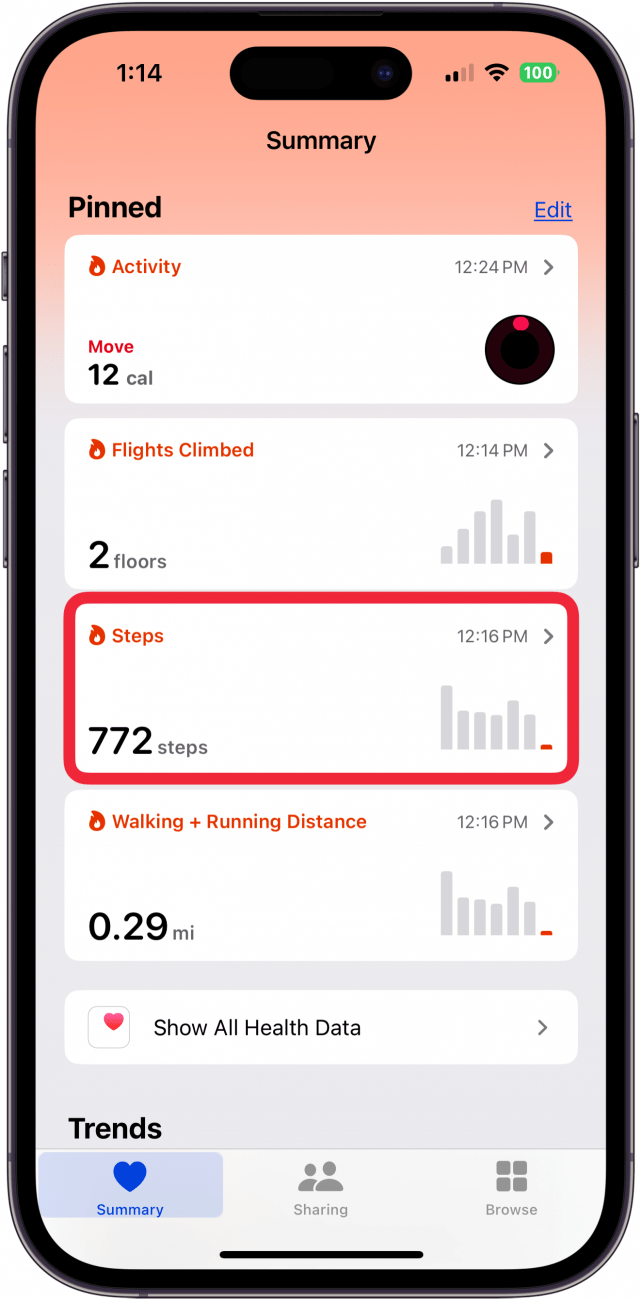
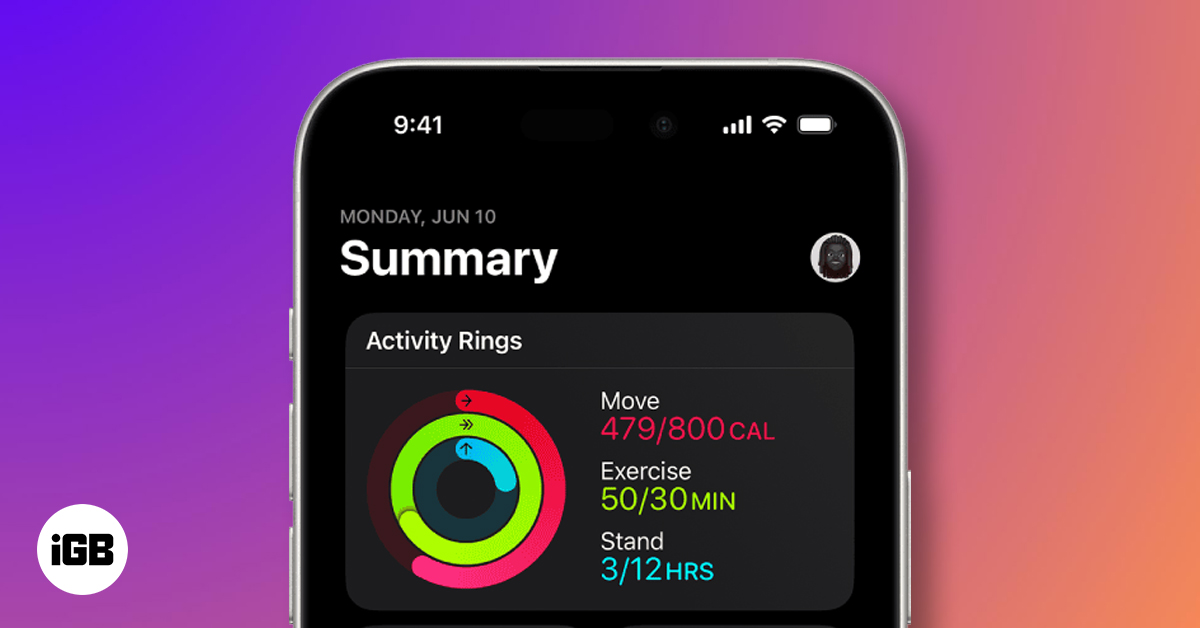
Visual feedback helps you understand your progress at a glance. Step counters often use clear graphs, colorful progress bars, or animated icons to show how close you are to your daily target.
Imagine opening your app and instantly seeing a green circle filling up as you walk. That immediate response encourages you to take a few more steps just to complete it. Some apps even change colors or display badges as rewards, making your activity feel more like a game.
How does your current app show your movement? Does it make you want to move more or just present boring numbers?
Motivational Features
Motivational features are built into the interface to keep you coming back. Notifications, challenges, and personalized messages can push you to beat your previous records.
One app I used sent a friendly reminder when I was close to 10,000 steps, and that little nudge was enough to get me off the couch. Features like social sharing allow you to compare progress with friends, sparking healthy competition.
Does your app offer daily challenges or rewards that make walking more exciting? Small boosts like these can make a big difference in your fitness journey.
Credit: www.iphonelife.com
Privacy And Data Security
Privacy and data security are crucial when using fitness apps to track your steps. These apps collect sensitive information about your daily activities, location, and health patterns. It’s important to know how this data is protected and what control you have over it.
Data Encryption Methods
Fitness apps use encryption to keep your step data safe from hackers and unauthorized access. Encryption scrambles your data so only authorized systems can read it. This means even if someone intercepts your data, it remains unreadable without the encryption key.
Many apps use industry-standard methods like AES (Advanced Encryption Standard) to protect data both when it’s stored on your device and when it’s sent to cloud servers. This double layer of security helps prevent leaks and breaches.
Have you ever wondered what happens to your step count after it leaves your phone? Encryption ensures it stays secure during transmission, giving you peace of mind.
User Consent And Control
Fitness apps should always ask for your permission before collecting or sharing your step data. You have the right to know what information is collected and how it will be used. This transparency builds trust between you and the app.
Look for apps that let you control your privacy settings easily. You should be able to delete your data, decide who can see it, and opt out of data sharing with third parties. These options empower you to protect your personal information.
Think about the last time you installed an app. Did you read the privacy policy or just hit “Accept”? Taking a moment to review permissions can save your data from misuse.
Future Innovations
The future of fitness apps tracking your steps looks promising with exciting innovations on the horizon. These advancements will make step counting more accurate, personalized, and integrated into your overall health journey. Imagine a fitness app that not only counts your steps but understands your movement context and connects seamlessly with other health data.
Advanced Sensor Technology
New sensors are becoming smaller, smarter, and more energy-efficient. These sensors can detect subtle movements and differentiate between walking, running, or climbing stairs with greater precision.
Wearable devices are starting to use multiple sensors working together, such as accelerometers, gyroscopes, and barometers. This combination provides a fuller picture of your activity without draining your device’s battery quickly.
Have you noticed how your phone sometimes mistakes hand gestures for steps? Advanced sensors aim to fix this by learning your unique movement patterns over time, reducing false counts and giving you more reliable data.
Integration With Health Platforms
Fitness apps are increasingly connecting with broader health platforms like Apple Health, Google Fit, and medical record systems. This integration allows your step data to contribute to a bigger picture of your health.
Imagine your step count influencing personalized workout plans, diet suggestions, or even alerting you to health risks early on. This kind of data sharing can help you and your healthcare providers make smarter decisions.
Think about how your daily step goal could automatically adjust based on your sleep quality, heart rate, or stress levels recorded in other apps. Such smart syncing makes your fitness tracking feel truly tailored to your lifestyle.
Credit: www.iphonelife.com
Credit: www.igeeksblog.com
Frequently Asked Questions
How Do Fitness Apps Measure Daily Steps Accurately?
Fitness apps use smartphone sensors like accelerometers to detect movement. They analyze motion patterns to count steps precisely. This technology filters out non-walking activities for accurate step tracking. It provides users with reliable daily activity data.
Can Fitness Apps Track Steps Without Gps?
Yes, fitness apps can track steps without GPS by using internal motion sensors. Accelerometers detect your walking or running movements without needing location data. This helps save battery while still providing accurate step counts.
How Do Fitness Apps Differentiate Steps From Other Movements?
Fitness apps use algorithms to analyze sensor data and recognize walking patterns. They filter out random movements like hand gestures or vehicle rides. This ensures only genuine steps are counted, enhancing tracking accuracy.
Are Fitness App Step Counts Reliable Across Different Devices?
Step count accuracy varies by device sensor quality and calibration. Most modern smartphones and wearables offer reliable tracking. However, slight differences may occur due to hardware and software variations.
Conclusion
Fitness apps count your steps using built-in phone sensors. These sensors detect movement and calculate each step you take. This helps you keep track of daily activity easily. Many apps also show calories burned and distance traveled. Tracking steps can motivate you to stay active and healthy.
Simple tools, big benefits. Try using a fitness app to see your progress. Small changes add up over time. Staying active feels good and improves your health.







