
Have you ever wondered how your fitness app knows exactly how many steps you take every day? It might seem like magic, but there’s a smart system working behind the scenes.
Understanding how these apps track your steps can help you use them better and stay motivated on your fitness journey. Keep reading, and you’ll discover the simple technology that turns your phone into a personal step counter—and why it’s so accurate at keeping up with your every move.
The Role Of Motion Sensors
Motion sensors are essential for fitness apps to count steps accurately. These tiny devices detect movement and changes in position. They help translate physical activity into digital data. This data then appears as steps on your screen. Motion sensors work quietly in the background, tracking every move without interrupting daily life.
Accelerometer Functionality
The accelerometer measures changes in speed and direction. It senses when you lift your foot and place it down. This sensor tracks movements along three axes: up-down, left-right, and forward-backward. The accelerometer detects the rhythmic motion of walking or running. It filters out small, unrelated movements to avoid false step counts.
Gyroscope Integration
The gyroscope measures the device’s orientation and rotation. It helps distinguish between walking and other movements like shaking. This sensor improves step count accuracy by confirming the direction of motion. Gyroscope data works with the accelerometer to better understand complex movements. Together, these sensors provide a clearer picture of your activity.
Gps And Location Tracking
GPS and location tracking play a crucial role in how fitness apps count your steps and map your movement. These technologies use signals from satellites to pinpoint where you are and track your path during activities like walking or running. Understanding how this works can help you make better use of your app’s features and troubleshoot any inaccuracies.
Satellite-based Positioning
Your device connects to multiple satellites orbiting the Earth to determine your exact location. It measures the time it takes for signals to travel from satellites to your phone, then calculates your position using this data.
Fitness apps use this location data to track your movement in real-time, translating your position changes into step counts and distances. This method works best outdoors, where your device has a clear line of sight to several satellites.
Have you ever noticed your step count jump when you’re near tall buildings or dense trees? That’s because these obstacles can block satellite signals, affecting the accuracy of positioning.
Data Accuracy And Limitations
GPS tracking is powerful but not perfect. Signal interference, weather conditions, and your device’s hardware can all impact how accurately your steps and routes are recorded.
Indoor environments are especially challenging for GPS. Without direct access to satellites, your fitness app may rely more on other sensors, which might lower precision.
To improve accuracy, some apps combine GPS data with information from accelerometers and gyroscopes inside your device. This combination helps fill in gaps when GPS signals are weak.
Next time you review your workout data, consider these factors. Could inaccuracies be due to GPS limitations? How might you adjust your routine or settings to get better tracking results?
Algorithmic Step Counting
Algorithmic step counting is the core technology behind fitness apps tracking your movement. It uses smart algorithms to analyze data from your phone’s sensors. These algorithms detect steps by interpreting patterns in acceleration and motion.
The process is more than just counting raw sensor data. It filters out noise and identifies real walking or running movements. This helps improve accuracy and reduces false counts from other activities.
Pattern Recognition Techniques
Pattern recognition plays a key role in step counting. The app’s algorithms look for specific motion signals that match walking or running. These signals show up as repeating spikes in acceleration data.
Algorithms compare these patterns to known step templates. They check timing, intensity, and rhythm to confirm actual steps. This method helps ignore random movements like shaking or tapping.
Machine learning models sometimes assist by learning user behavior over time. They adapt to different walking styles and improve detection accuracy.
Calibration And Error Correction
Calibration adjusts the algorithm to match each user’s unique movement. Apps often ask users to walk a few steps during setup. This data helps customize step detection thresholds.
Error correction removes false positives caused by non-step motions. Algorithms use filters to exclude sudden jolts or movements unrelated to walking.
Some apps cross-check data from multiple sensors. Combining accelerometer and gyroscope readings refines step counts. This reduces errors from device orientation changes or vibrations.

Credit: www.reddit.com
Integration With Wearable Devices
Integrating fitness apps with wearable devices has changed how you monitor your daily activity. Instead of manually entering data, these devices automatically capture your movements. This seamless connection makes tracking your steps more accurate and convenient.
Smartwatches And Fitness Bands
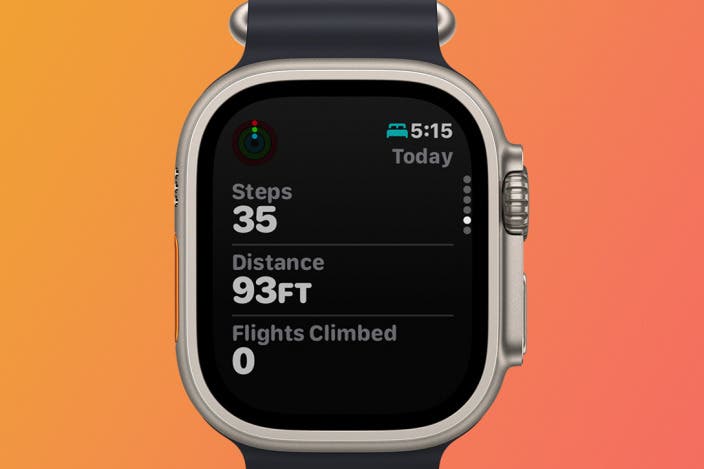
Smartwatches and fitness bands are the most common wearables used to track steps. They come equipped with accelerometers and gyroscopes that detect your motion throughout the day. These sensors measure each step by analyzing your arm swings and body movement patterns.
Many devices also include heart rate monitors and GPS, giving you extra insights about your workouts. You might notice how your smartwatch vibrates when you hit a step goal or reminds you to move after a period of inactivity. This real-time feedback keeps you motivated and aware of your activity levels.
Real-time Data Synchronization
Real-time data synchronization lets your wearable send step counts directly to your fitness app without delay. This means your progress updates instantly, allowing you to see how active you are throughout the day. No need to worry about missing steps or syncing manually.
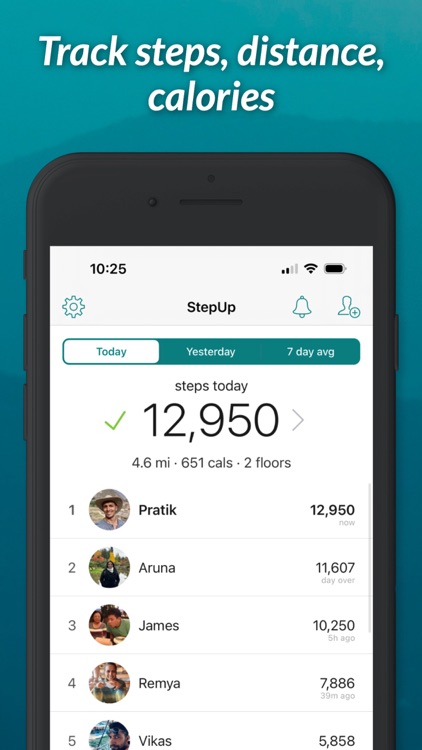
Some apps even sync data across multiple devices, like your phone, smartwatch, and tablet. This way, you can check your step count anytime, anywhere. Have you ever experienced the satisfaction of watching your daily steps rise live as you walk? It’s a small feature that can boost your commitment to staying active.
User Data Privacy And Security
Your fitness app collects a lot of personal information to track your steps accurately. This data can include your location, physical activity, and even health stats. Ensuring this sensitive data stays private and secure is crucial—not just for your safety but for your peace of mind.
Data Encryption Practices
Encryption acts like a secret code that keeps your data safe from hackers and unauthorized access. Most reputable fitness apps use encryption to protect your step count and other personal details both while they’re stored on servers and during data transfers.
Think about it: if your step data is sent over the internet without encryption, anyone with the right tools could intercept it. That’s why strong encryption standards like AES-256 are common in fitness apps. Check if your app mentions encryption in its privacy policy—it’s a good sign they take security seriously.
User Consent And Permissions
Have you ever stopped to read what permissions a fitness app asks for before you install it? These permissions determine what data the app can access on your phone. Apps should always ask for your explicit consent before collecting your location, motion data, or health metrics.
If an app demands access to information unrelated to step tracking—like your contacts or messages—it’s worth questioning why. You have the right to control your data. Many apps now let you customize permissions, so you can disable anything that feels intrusive without losing core step tracking features.
Credit: www.iphonelife.com
Future Trends In Step Tracking
Step tracking has come a long way, but the future promises even more exciting changes. As technology improves, the way your fitness app counts every step will become smarter and more accurate. You might wonder how these changes will affect your daily workouts and overall health tracking.
Advancements In Sensor Technology
New sensors are becoming smaller and more sensitive. This means your device can pick up even subtle movements, making step counts more precise. Imagine your app distinguishing between walking, jogging, or even climbing stairs without you telling it.
Some sensors will also track other body signals like muscle activity or foot pressure. These details can give a clearer picture of how you move. You might soon get feedback not just on steps but on your walking style and balance, helping prevent injuries.
Ai And Machine Learning Applications
AI is getting better at understanding your unique patterns. It learns how you move throughout the day and adjusts step counts accordingly. For example, it can filter out non-walking movements, so your count isn’t inflated by shaking your hand or riding in a car.
Machine learning also helps predict your activity goals based on past habits. Your fitness app might suggest personalized challenges or reminders to keep you motivated. Have you ever wished your app understood your pace and pushed you just right? This is where AI steps in.
Credit: appadvice.com
Frequently Asked Questions
How Do Fitness Apps Count My Daily Steps?
Fitness apps use your phone’s accelerometer to detect motion patterns. These sensors track arm swings and footfalls. The app then translates this data into step counts accurately.
Can Gps Improve Step Tracking Accuracy?
Yes, GPS helps track your outdoor movement and distance. It complements accelerometer data by confirming your location changes. This combination enhances step count precision during walks or runs.
Do All Smartphones Track Steps The Same Way?
No, step tracking accuracy varies by phone model and sensor quality. Newer phones have advanced sensors and algorithms for better results. Older models might show less precise step counts.
How Do Fitness Apps Filter False Step Data?
Apps use algorithms to distinguish real steps from random movements. They analyze motion patterns and intensity to avoid counting shakes or vibrations as steps. This ensures reliable step tracking.
Conclusion
Fitness apps count your steps using sensors inside your phone. These sensors detect motion and direction as you move. The apps turn this data into step numbers you can see. This helps you track your daily activity easily. Knowing how apps track steps helps you trust their data more.
Use this info to stay active and meet your goals. Simple tools, big impact on your health journey. Keep moving, one step at a time.







