
Are you ready to take your fitness journey to the next level? Your Apple Watch is more than just a stylish accessory—it’s a powerful tool designed to help you track, improve, and stay motivated every step of the way.
Imagine having real-time insights about your workouts, heart rate, and daily activity right on your wrist. This means you can make smarter choices, push yourself just enough, and see real progress. Keep reading to discover how fitness tracking on your Apple Watch can transform the way you move and feel every day.
Apple Watch Features For Fitness
The Apple Watch offers a suite of fitness features designed to help you stay on top of your health goals. These tools go beyond simple tracking—they provide insights that encourage daily movement and smarter workouts. Whether you’re a casual walker or a dedicated athlete, the Apple Watch adapts to your fitness level and pushes you to improve.
Heart Rate Monitoring
Keeping an eye on your heart rate is crucial for understanding your workout intensity and overall cardiovascular health. The Apple Watch continuously measures your heart rate throughout the day, during workouts, and even while you rest. You can spot trends, like unusually high or low rates, and adjust your activity or seek medical advice if needed.
Have you noticed how your heart rate changes during different activities? The watch’s real-time feedback helps you stay in your target zones, making each session more effective.
Step Counting
Counting steps may sound simple, but it’s a powerful way to track daily movement. The Apple Watch accurately counts your steps, motivating you to hit personalized goals. You can set reminders to move if you’ve been sitting too long, helping you avoid a sedentary lifestyle.
Try challenging yourself to increase your daily steps by small amounts and watch how easy it becomes with consistent tracking.
Calorie Tracking
Understanding how many calories you burn during various activities helps you manage your fitness and diet plans. The Apple Watch calculates active and resting calories based on your movement and heart rate data. This detailed breakdown lets you see how your body uses energy throughout the day.
Have you ever wondered which activities burn the most calories for you personally? The watch’s data can reveal surprising insights about your routine.
Workout Detection
The Apple Watch can automatically detect when you start a workout and suggest tracking it without you pressing any buttons. This feature is especially useful if you forget to start your workout manually. It ensures that all your activity is recorded accurately, helping you maintain a complete fitness history.
Think about those spontaneous walks or runs—now they won’t slip through the cracks just because you forgot to start tracking.
Setting Up Fitness Goals
Setting up fitness goals on your Apple Watch is your first step toward a more active lifestyle. Clear goals help you focus your efforts and track your progress easily. The watch’s features turn everyday activity into a fun and measurable challenge that keeps you coming back.
Personalizing Goals
Apple Watch lets you tailor your fitness goals to fit your unique lifestyle. You can set targets for calories burned, minutes exercised, or hours standing. Adjust these goals anytime as your fitness improves or your schedule changes.
Think about what motivates you most. Are you aiming to build endurance, lose weight, or just move more throughout the day? Setting specific, realistic goals that align with your personal reasons makes it easier to stay committed.
Activity Rings
The three Activity Rings are a visual way to track your daily fitness progress. Each ring represents a different goal:
- Move:Calories burned through activity.
- Exercise:Minutes of brisk activity.
- Stand:Hours in which you stand and move for at least one minute.
Seeing these rings close each day creates a sense of achievement. I once missed closing my Exercise ring for several days, which pushed me to take quick walks during breaks. What small adjustments could help you close your rings consistently?
Staying Motivated
Motivation often fades, but your Apple Watch offers features to keep you on track. You can set reminders, earn badges for milestones, and even compete with friends. These elements add accountability and fun to your routine.
Try setting weekly challenges or pairing up with a workout buddy through the watch’s sharing features. When you see your progress and celebrate small wins, it’s easier to maintain momentum. What rewards or challenges excite you enough to keep going?
Using Workout App
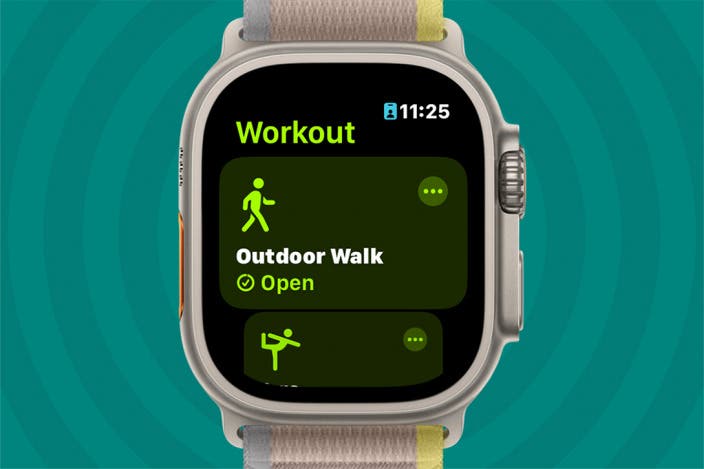
The Workout app on the Apple Watch helps you stay active and track your fitness easily. It offers a simple way to start exercises and monitor your performance. Using this app, you can focus on your goals and keep your workouts organized. The app records important data such as heart rate, calories burned, and duration. This data helps you understand your progress and stay motivated.
Types Of Workouts
The Workout app supports many exercise types. You can choose from running, walking, cycling, swimming, and more. Each workout type tracks specific metrics for better accuracy.
- Outdoor Run
- Indoor Walk
- Pool Swim
- Elliptical
- Yoga
- Strength Training
Select the workout that fits your plan. This ensures the app gathers the right data for your activity.
Tracking Progress
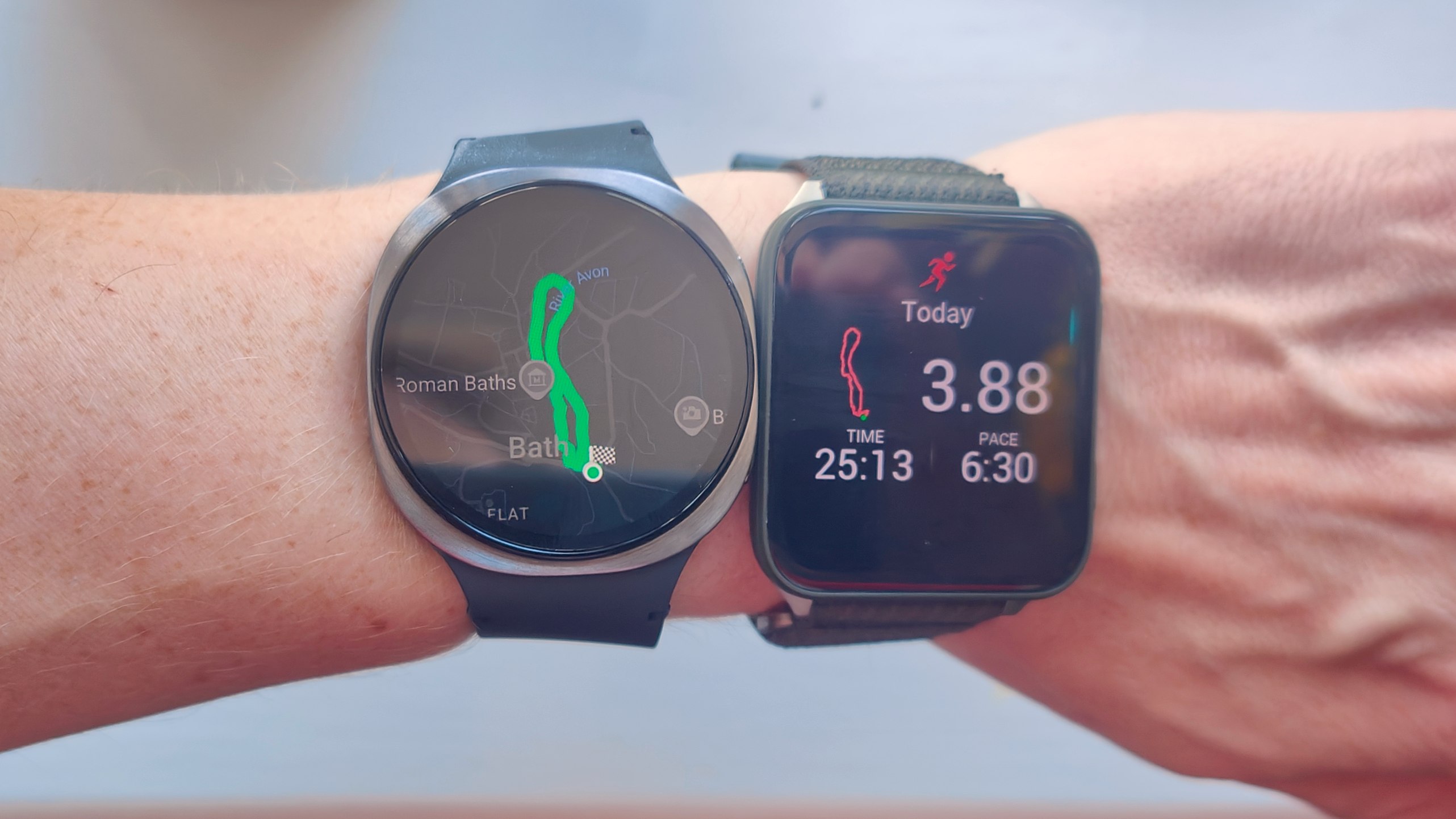
The app shows real-time stats during your workout. You see your heart rate, pace, and calories burned on the screen. After finishing, the app saves a summary of your session.
You can check your workout history anytime in the Fitness app on your iPhone. It displays graphs and trends to help you see improvements over days and weeks.
Customizing Workouts
You can tailor workouts to match your needs. Set goals for time, distance, or calories before starting. This keeps you focused during exercise.
The app also allows you to add new workout types or change existing ones. Customize alerts to notify you about pace or heart rate zones. These options help make workouts more effective and enjoyable.
Integrating With Health Apps
Integrating your Apple Watch with various health apps can take your fitness tracking to a whole new level. This connection allows your watch to share valuable data seamlessly, giving you a more detailed and complete picture of your health. It’s not just about collecting numbers; it’s about making those numbers work together to help you reach your goals.
Syncing Data
Your Apple Watch automatically syncs fitness data with the Apple Health app on your iPhone. This sync happens in the background, so you don’t have to lift a finger. You can track steps, heart rate, calories burned, and more, all in one place.
Have you noticed how seeing your progress over time motivates you? Syncing ensures you always have the latest stats, making it easier to stay on track. Plus, this synchronization helps avoid data duplication or loss, keeping your health records accurate.
Third-party Apps
Beyond Apple Health, your Apple Watch can connect with many third-party apps designed for fitness and wellness. Apps like MyFitnessPal, Strava, and Nike Run Club pull data from your watch to offer specialized insights.
These apps often provide tailored workout plans, nutrition tracking, or social challenges. For example, using Strava with your watch lets you compare your running routes and compete with friends. Have you tried linking your watch to one of these apps? The added features can make a big difference in your daily motivation.
Benefits Of Integration
Combining data from your Apple Watch with health apps gives you a clearer view of your overall wellness. You can spot trends, identify areas to improve, and celebrate milestones more easily.
This integration also helps you customize your fitness routine based on real insights instead of guesswork. Imagine getting alerts when your activity drops or suggestions to balance workouts with rest. What if your watch could actually guide you to smarter, healthier habits every day?
Monitoring Sleep Patterns
Monitoring sleep patterns helps understand rest and recovery better. Apple Watch tracks sleep with detailed insights. It records sleep duration, quality, and stages. This data lets users improve their sleep habits over time.
Sleep Tracking Features
Apple Watch uses sensors to track motion and heart rate. It detects when you fall asleep and wake up. Sleep stages include deep, light, and REM sleep. The watch shows trends and daily sleep goals. Users get gentle reminders to maintain a regular bedtime.
Improving Sleep Quality
Tracking sleep encourages better bedtime routines. Seeing sleep patterns highlights habits affecting rest. It helps identify disruptions like waking up often. Users can adjust schedules for more consistent sleep. The watch also suggests wind-down activities to relax before bed.
Heart Health Notifications
The Apple Watch offers heart health notifications that help you stay aware of your heart’s condition. These alerts provide early warnings about unusual heart activity. They can be crucial for maintaining good heart health and seeking timely medical advice.
With continuous monitoring, the watch detects irregular heart rhythms. It also supports detailed heart analysis through the ECG app. These features give users valuable insights into their heart function.
Irregular Rhythm Alerts
The Apple Watch watches your heart rhythm in the background. It checks for signs of atrial fibrillation, a common irregular heartbeat. If the watch detects unusual patterns, it sends an alert to your wrist.
These alerts help you notice potential heart issues early. The feature works quietly without interrupting your daily routine. It encourages users to consult a doctor if necessary.
Ecg App Functionality
The ECG app on the Apple Watch records your heart’s electrical signals. It creates a single-lead electrocardiogram similar to those done in clinics. The app guides you through the process step by step.
This function helps identify irregular heartbeats and other problems. It stores the results, allowing you to share them easily with your doctor. The ECG app adds an extra layer of heart health monitoring to your fitness routine.
Mindfulness And Stress Management
Managing stress and staying mindful throughout your day can be challenging, especially with a busy schedule. The Apple Watch offers practical tools that help you stay centered and calm. These features encourage you to take short breaks to focus on your breathing and remind you to be present, making mindfulness part of your daily routine.
Breathing Exercises
The Apple Watch includes guided breathing sessions designed to help you slow down and reduce tension. You can choose the length of each session, from one to five minutes, making it easy to fit a calming break into your day. During these exercises, the watch gently taps your wrist to guide your breath in and out, helping you focus without distractions.
I once used these breathing exercises before a stressful presentation. Just two minutes of focused breathing helped clear my mind and lowered my heart rate noticeably. Have you tried pausing like this when stress builds up?
Mindfulness Reminders
Sometimes, you need a simple nudge to pause and check in with yourself. The Apple Watch sends mindfulness reminders that encourage you to stop and reflect for a moment. These alerts can prompt you to notice your surroundings, your feelings, or simply take a deep breath.
These small pauses can make a big difference. By regularly checking in, you become more aware of your stress levels and can respond before tension grows. How often do you take a moment just for yourself during the day?
Credit: www.iphonelife.com
Enhancing Fitness With Apple Watch
The Apple Watch offers more than just a way to check the time or receive notifications; it actively pushes you to improve your fitness. Its design encourages you to move, exercise, and stand throughout the day, making fitness feel like a natural part of your routine. With features that keep you motivated, your fitness journey can become more engaging and effective.
Challenges And Competitions
One of the most motivating features of the Apple Watch is the ability to join challenges and competitions. You can compete with friends or family, aiming to close your Activity rings faster or hit certain workout goals.
For instance, I once joined a week-long step challenge with colleagues. It made me more mindful of taking stairs and walking during breaks. The friendly competition kept me moving even on days I felt lazy.
Would you push yourself harder if you knew others were tracking your progress? Challenges give you that extra nudge and make fitness social and fun.
Community Support
The Apple Watch connects you to a community that shares your fitness goals. Through the Fitness app, you can share your progress, cheer others on, and receive encouragement.
When I started sharing my workouts, the positive feedback kept me consistent. Knowing someone else noticed my effort made a real difference.
Imagine having a support system right on your wrist, ready to celebrate your small wins every day. That kind of encouragement can transform fitness from a chore into a rewarding habit.
Tips For Maximizing Battery Life
Maximizing battery life on your Apple Watch helps you track fitness without interruptions. Smart settings and good charging habits keep your device running longer. Use these tips to extend battery life while staying active and connected.
Optimizing Settings
- Lower screen brightness to save power.
- Turn off Always-On Display when not needed.
- Disable unnecessary notifications to reduce battery drain.
- Use Power Saving Mode during workouts.
- Limit background app refresh for apps you rarely use.
- Turn off Wi-Fi and Bluetooth when not in use.
Charging Best Practices
- Charge your Apple Watch regularly to avoid deep discharge.
- Use the original charger for better efficiency.
- Avoid charging in very hot or cold places.
- Remove the watch from the charger once fully charged.
- Charge your watch overnight occasionally to start fresh.
Credit: www.techradar.com

Credit: www.reddit.com
Frequently Asked Questions
How Does Apple Watch Track Fitness Activities?
Apple Watch uses sensors like accelerometer and heart rate monitor. It records movements, calories burned, and workout types. Data syncs with the Fitness app for detailed analysis and progress tracking.
Can Apple Watch Track Swimming Workouts Accurately?
Yes, Apple Watch is water-resistant and tracks swimming. It measures laps, distance, and calories burned in pools or open water. This helps swimmers monitor their performance effectively.
What Fitness Metrics Does Apple Watch Provide?
Apple Watch offers metrics like heart rate, steps, calories, distance, and active minutes. It also tracks workouts, sleep, and recovery, giving users a comprehensive health overview.
Does Apple Watch Support Third-party Fitness Apps?
Yes, Apple Watch supports many third-party fitness apps. Users can customize workouts and track specific activities. This expands fitness tracking beyond native features.
Conclusion
Fitness tracking on Apple Watch helps you stay active every day. It shows your progress clearly and motivates you to move more. You can set goals and see how close you are to reaching them. The watch tracks your heart rate, steps, and workouts easily.
It fits well into daily life and keeps you informed. Small changes add up to better health over time. Staying consistent is key. Use your Apple Watch to keep your fitness journey simple and fun.







