
Have you ever wished your Apple Watch could do more during your gym sessions? Imagine if it could automatically detect the gym equipment you’re using and track your workout without any extra effort from you.
This means no more fiddling with apps or guessing your exercise details. You’ll discover how your Apple Watch can recognize gym machines, making your fitness routine smarter and easier. Keep reading to unlock the full potential of your workout companion.
Credit: siliconvalen.eu
Apple Watch And Gym Equipment Compatibility
The Apple Watch has become a trusted companion for many fitness enthusiasts. But how well does it work with gym equipment? Understanding the compatibility between your Apple Watch and various machines can improve your workout tracking and motivation.
Knowing which gym equipment syncs smoothly with your watch saves you time and enhances accuracy. Have you ever wondered if your treadmill or rowing machine can communicate directly with your watch? Let’s break down what you need to know.
How Apple Watch Connects With Gym Machines
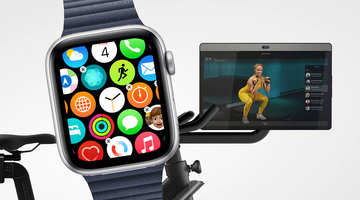
Apple Watch uses Bluetooth to link with gym equipment that supports workout data sharing. This connection allows your watch to receive real-time exercise metrics from machines like treadmills, ellipticals, and stationary bikes.
However, not all gym equipment is compatible. Many older machines lack Bluetooth or the necessary software to sync with wearable devices.
Popular Gym Equipment Compatible With Apple Watch
- Treadmills:Brands like Life Fitness and NordicTrack often support Apple Watch syncing.
- Ellipticals:Some models can transmit heart rate and resistance data directly to your watch.
- Rowing Machines:Certain smart rowers, such as Hydrow, integrate well with Apple Watch to track strokes and calories.
- Stationary Bikes:Peloton and similar smart bikes provide seamless Apple Watch connectivity for detailed workout stats.
Limitations You Should Know
Even with compatible equipment, data sync isn’t always perfect. Sometimes your watch may not pick up all the stats, especially if the gym machine’s software needs an update.
Also, some machines only send limited information, like heart rate, but don’t share speed or distance. This can affect how accurately your workout is recorded.
Tips To Maximize Your Apple Watch Experience At The Gym
- Check if your gym’s equipment supports Bluetooth or Apple Health integration.
- Keep your watch’s software updated to improve compatibility.
- Start the workout app on your Apple Watch before beginning your session to ensure it records all data.
- Use third-party apps designed to bridge your watch with gym machines if native syncing falls short.
Have you noticed a difference in workout tracking accuracy when using your Apple Watch with specific gym machines? Sharing your experience could help others choose the right equipment for their fitness goals.
How Apple Watch Detects Gym Equipment
The Apple Watch has taken fitness tracking to a new level by recognizing gym equipment automatically. This feature helps you focus on your workout without needing to manually log exercises. Understanding how your watch detects gym equipment can enhance your workout experience and give you more accurate data.
Sensors And Technology
The Apple Watch uses a combination of sensors to identify when you are using gym equipment. Its accelerometer and gyroscope detect specific motion patterns that match exercises like rowing, cycling, or elliptical training.
Additionally, the watch can sense the heart rate changes that correspond to different workout intensities. This mix of motion and biometric data allows the watch to distinguish between walking on a treadmill and using a stair climber, for example.
Have you noticed how your watch prompts you to start a workout just when you begin moving on a machine? That’s the sensors at work, making your training more seamless.
Data Synchronization
Once the Apple Watch detects gym equipment, it syncs the workout data with the Health app and other fitness platforms. This ensures all your activity information is stored in one place for easy tracking over time.
Data synchronization also means you can review detailed stats like calories burned, distance, and heart rate zones after your session. This insight helps you adjust your workouts for better results.
Imagine finishing a workout and instantly seeing how your performance on the elliptical compares to previous sessions. This automatic syncing saves you time and keeps your fitness goals in clear view.
Benefits Of Automatic Equipment Detection
Automatic equipment detection on the Apple Watch brings a new level of convenience and precision to your workouts. It takes the guesswork out of tracking your exercises, allowing you to focus entirely on your performance. This feature not only saves time but also helps you get more accurate data, which can improve your fitness results.
Enhanced Workout Accuracy
When your Apple Watch detects gym equipment automatically, it records your workout details with greater precision. This means your reps, sets, and even the type of exercise are logged correctly without you having to enter anything manually.
I once noticed my calorie count was off during a strength training session until I started using automatic detection. The watch adjusted my data based on the actual equipment and movement, giving me a clearer picture of my effort. Wouldn’t you want your workout stats to reflect your true performance every time?
Seamless User Experience
Automatic detection removes the hassle of selecting exercises or equipment on your watch. You can jump from one machine to another without pausing your workout to change settings.
This smooth experience keeps your focus on the exercise, not on fiddling with your device. Imagine how much more motivated you’d feel if your technology worked quietly in the background, letting you stay in the zone.
Credit: screenrant.com
Setting Up Your Apple Watch For Gym Use
Setting up your Apple Watch for gym use can improve your workout tracking. The watch can connect with gym machines to record your exercise data accurately. This setup helps you monitor your progress and stay motivated.
Pairing With Equipment
Start by enabling Bluetooth on your Apple Watch. Most modern gym equipment supports Bluetooth connections. Look for the machine’s pairing option, often shown on its screen.
On your watch, open the Workout app or Settings to find nearby devices. Select the gym equipment from the list. Confirm the connection on both your watch and the machine.
Once paired, the watch will automatically sync workout data. This includes machine type, reps, sets, and calories burned. Pairing takes just a few seconds.
Adjusting Settings
Customize your watch settings for gym use under the Workout section. Set your preferred units for distance, weight, and speed. Adjust workout goals like calories or time.
Turn on heart rate monitoring for better tracking. You can also enable notifications for workout reminders. Adjust sound or haptic alerts for a quieter or more noticeable signal.
Review privacy settings to control what data syncs with gym equipment. Proper settings keep your workout info safe and private.
Popular Gym Machines Compatible With Apple Watch
Your Apple Watch can be a powerful partner during workouts, especially when it recognizes popular gym machines. This compatibility helps you track your performance accurately without extra effort. Understanding which machines sync smoothly with your Apple Watch can enhance your gym sessions and keep your fitness data precise.
Treadmills
Treadmills are among the most common gym machines compatible with the Apple Watch. When you start running or walking, the watch detects motion and syncs with the treadmill’s sensors to record speed, distance, and calories burned.
Have you noticed how your pace data on the watch matches perfectly with the treadmill display? That’s the Apple Watch using its built-in accelerometer alongside the machine’s feedback. This helps you avoid manual input and keeps your workout stats seamless and reliable.
Ellipticals
Elliptical trainers also work well with the Apple Watch, though the watch relies more on your arm movement and heart rate during these workouts. Because your hands move differently on ellipticals, the watch uses a combination of sensors to estimate calories and workout intensity.
One practical tip is to ensure your Apple Watch fits snugly on your wrist for better heart rate accuracy. This makes a noticeable difference in your post-workout summaries. Have you tried comparing your elliptical session stats before and after wearing the watch properly? The difference can be eye-opening.
Rowing Machines
Rowing machines present a unique challenge, but Apple Watch still manages to provide valuable workout data. It tracks your heart rate and estimates calories while you focus on your rowing technique.
Pairing your watch with compatible rowing machines can improve data precision, but even without pairing, the watch offers useful insights. Next time you row, observe how your watch captures your effort—are you pushing hard enough or holding back?
Maximizing Workout Data Tracking
Maximizing workout data tracking with your Apple Watch can completely change how you understand and improve your fitness routine. The watch’s ability to detect gym equipment lets you gather detailed insights without interrupting your flow. This means you get more accurate data that directly reflects your effort and progress.
Monitoring Heart Rate
Your heart rate is the most telling sign of workout intensity and efficiency. The Apple Watch automatically adjusts to the type of equipment you use, giving you precise heart rate readings that reflect real-time exertion.
Imagine pushing through a tough set on the rowing machine and seeing exactly how your heart responds. This immediate feedback helps you decide if you should push harder or take a breather.
Do you ever wonder if you’re training in the right heart rate zone? The Apple Watch can guide you, ensuring your sessions target fat burn, endurance, or peak performance zones effectively.
Tracking Calories Burned
Calorie tracking becomes more reliable when the watch recognizes specific gym equipment. It uses motion and heart rate data tailored to your workout type, avoiding generic estimates.
For example, your calorie count during a treadmill run will differ from a cycling session, and the watch captures these differences. This accuracy helps you adjust your nutrition and workout plans based on real energy expenditure.
Have you ever felt unsure if you burned enough calories during a workout? The Apple Watch’s detailed calorie data can answer that, letting you stay on track with your fitness goals.
Privacy And Data Security Concerns
Using the Apple Watch to detect gym equipment is convenient, but it raises important questions about privacy and data security. Your workout habits and health data are sensitive details that need protection. Understanding how your information is stored and controlled can help you make safer choices.
Data Storage
Your Apple Watch collects data on the types of gym equipment you use and your exercise patterns. This information is stored locally on the device and synced with your iPhone, then backed up to iCloud if you have it enabled.
Apple encrypts this data to keep it safe, but the cloud storage means your workout details could potentially be accessed online. Have you considered how much of your daily activity data you want stored on external servers?
Regularly reviewing your iCloud settings and backups can help ensure only necessary data is saved. You can also delete old workout data directly from your watch or paired device to limit stored information.
User Control
You have the power to decide what information the Apple Watch shares. The device asks for permission before accessing gym equipment data, but it’s easy to overlook these prompts during setup.
Check your privacy settings to control which apps can access your workout details. You might find apps requesting more data than you expected.
- Turn off gym equipment detection if you prefer not to share this data.
- Disable app permissions for those you don’t trust or use less frequently.
- Manage notifications to avoid constant data sharing alerts.
How often do you review your privacy controls? Taking time to adjust them can prevent unwanted data sharing and keep your workout routines private.
Future Of Apple Watch In Fitness
The Apple Watch is already a powerful fitness companion, but its future promises even greater support for your workouts. Imagine your watch not just tracking your movement but understanding the exact gym equipment you’re using. This can make your fitness data more precise and your workout experience more tailored to your goals.
Innovations On The Horizon
Apple is working on smarter sensors and machine learning models that can recognize a wider range of gym equipment automatically. This means your watch could tell the difference between a treadmill, rowing machine, or elliptical without you needing to input anything manually.
Such innovations could also include real-time feedback on your form and performance. You might get alerts if your posture slips or suggestions on how to improve reps for better results. How much more effective would your workouts be if your watch acted like a personal trainer?
Expanding Compatibility
Currently, the Apple Watch syncs well with some gym equipment, but the future points to broader compatibility. Apple aims to collaborate with more gym equipment manufacturers to create a seamless connection between your watch and machines.
This means your workout stats can be automatically shared across devices, giving you a complete picture of your exercise routine. Imagine starting your session on a bike, switching to weights, and having all your data combined effortlessly. Would this convenience motivate you to track every workout more consistently?

Credit: www.iphonelife.com
Frequently Asked Questions
Can Apple Watch Detect Specific Gym Equipment Automatically?
Yes, Apple Watch uses motion sensors to recognize some gym equipment. It can detect movements related to elliptical, rowing, and treadmill workouts. However, it may not identify all machines precisely. Updates continually improve detection accuracy for various gym exercises.
How Accurate Is Apple Watch Gym Equipment Detection?
Apple Watch offers good accuracy for common cardio machines like treadmills. Strength training detection relies on motion patterns and may vary. Accuracy improves with proper watch placement and calibration. Regular software updates also enhance workout recognition over time.
Does Apple Watch Track Reps On Gym Machines?
Apple Watch can estimate reps during strength training using motion data. It detects arm movements to count repetitions in exercises like bench press or curls. However, accuracy depends on exercise type and user consistency. Manual input can improve rep tracking precision.
What Gym Equipment Workouts Does Apple Watch Support?
Apple Watch supports cardio workouts such as treadmill, elliptical, and rowing. It also tracks strength training exercises including bench press and free weights. The Workout app offers tailored modes for various gym activities. Users can customize workouts for better tracking.
Conclusion
Apple Watch can help track your gym workouts easily. It senses some gym equipment and records your exercise data. This feature saves time and keeps your fitness progress clear. You stay motivated by seeing real results on your watch. Remember to check if your equipment works with the watch.
Using the Apple Watch makes gym sessions smarter and more effective. Give it a try to see how it fits your routine. Small tech help can make a big difference in fitness.







