
Looking to take your fitness to the next level? The Garmin Vivosmart 3 might be exactly what you need.
This sleek, easy-to-use tracker doesn’t just count your steps—it helps you understand your body better. Imagine having a personal coach on your wrist, guiding you through workouts and stress management all day long. If you want to boost your health, stay motivated, and track your progress effortlessly, keep reading.
You’re about to discover how this smart device can change the way you move and feel every day.
Key Features Of Garmin Vivosmart 3
The Garmin Vivosmart 3 offers a range of features designed to help you stay active and healthy. It tracks important health metrics and provides insights to improve your fitness. Each feature works together to give a clear picture of your well-being.
Heart Rate Monitoring
The Vivosmart 3 continuously measures your heart rate throughout the day. It uses an optical sensor to track your pulse without a chest strap. This data helps you understand your heart’s health and exercise intensity. You can see your resting heart rate and active minutes easily.
Stress Tracking
This fitness tracker detects changes in your heart rate to estimate stress levels. It encourages you to take breaks when stress rises. The device offers breathing exercises to help you relax. Regular stress tracking supports better mental and physical health.
Vo2 Max Estimation
The Vivosmart 3 estimates your VO2 max, which shows your aerobic fitness. It analyzes your heart rate and movement during activities. A higher VO2 max means better endurance and cardiovascular health. Tracking this value helps you measure fitness progress over time.
Fitness Age Calculation
Based on your fitness data, the device calculates your fitness age. It compares your fitness level to your actual age. A lower fitness age means you are in good shape for your years. This feature motivates you to maintain or improve your fitness level.

Credit: www.morgancomputers.co.uk
Design And Build
The design and build of the Garmin Vivosmart 3 play a crucial role in how comfortable and practical it feels during daily wear. This fitness tracker is crafted to fit seamlessly into your lifestyle, whether you’re hitting the gym or working through a busy day at the office. Let’s break down the key aspects that make its design stand out.
Material And Comfort
The Vivosmart 3 uses a soft, flexible silicone band that sits comfortably on your wrist. This material is sweat-resistant and lightweight, which means it won’t irritate your skin even during intense workouts or long hours of wear. I noticed that it stays put without feeling too tight, which is a big plus if you dislike constantly adjusting your tracker.
One question to ask yourself: does your current fitness tracker feel like part of your body or a bulky accessory? Garmin’s choice of materials helps the Vivosmart 3 feel like the former, making it easier to forget you’re wearing it at all.
Display Characteristics
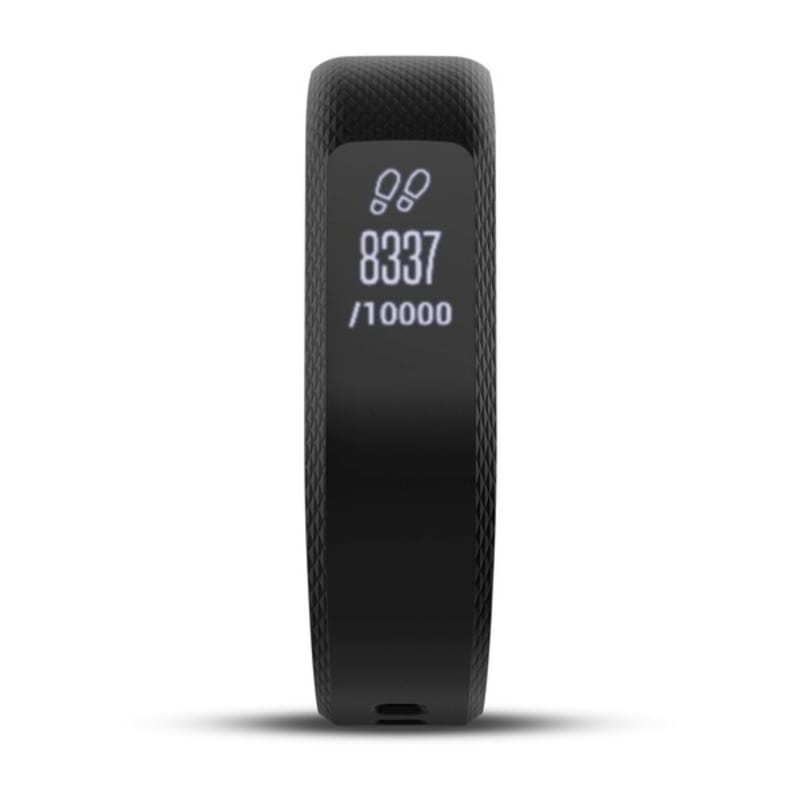
The Vivosmart 3 features a sleek, narrow OLED touchscreen that displays information clearly, even in bright sunlight. The screen responds well to taps and swipes, allowing you to navigate through stats and notifications quickly. While it’s not a large display, it shows just enough to keep you informed without overwhelming you.
Its discreet size makes it less noticeable, which can be an advantage if you prefer a subtle look. Have you ever struggled with a tracker whose screen is either too bright at night or too dim in daylight? This one balances those needs well, adjusting brightness automatically to suit your environment.
Battery Life
Battery life on the Vivosmart 3 lasts up to 5 days on a single charge, which means less time tethered to a charger and more time tracking your progress. The charging process is straightforward, using a small clip-on charger that connects easily without fuss. I found this convenient, especially during busy weeks when I forgot to charge overnight.
Think about how often you’re willing to charge your wearable device. With the Vivosmart 3, the battery life lets you focus on your fitness goals rather than your charger’s location.
Setting Up Your Vivosmart 3
Setting up your Garmin Vivosmart 3 is simple and fast. This fitness tracker helps monitor your health and activity with ease. Proper setup ensures you get the best experience and accurate data.
Initial Setup Process
Start by charging your Vivosmart 3 fully. Press and hold the button to turn it on. Select your language and follow the on-screen instructions. Enter basic details like age, weight, and height. This helps the device track your fitness accurately. Wear the tracker snugly on your wrist for the best sensor contact.
Syncing With Garmin Connect
Download the Garmin Connect app on your smartphone. Open the app and create an account or log in. Turn on Bluetooth and pair your Vivosmart 3. The app will guide you through the connection steps. Sync your device regularly to update your activity data and receive notifications.
Customizing Settings
Adjust settings to fit your lifestyle. Change your watch face from the app or device menu. Set daily step goals and alerts for inactivity. Customize notifications for calls, texts, and calendar events. Turn on Do Not Disturb mode during workouts or sleep. Personalizing these options makes your tracker more useful and comfortable.
Tracking Your Fitness Goals
Tracking your fitness goals becomes much clearer with the Garmin Vivosmart 3. This sleek device offers tools that help you understand your body’s daily rhythms and progress. It’s not just about counting steps; it’s about meaningful data that guides your next move.
Daily Activity Tracking
The Vivosmart 3 records every step, calorie burned, and floor climbed throughout your day. It motivates you by showing how close you are to your goals with simple progress updates. You can even set reminders to move if you’ve been inactive for too long, pushing you gently but effectively to stay active.
Think about how seeing your actual activity numbers changes your mindset. Does knowing you’ve only taken 3,000 steps by mid-afternoon encourage you to walk a bit more? This constant feedback helps you adjust your routine in real time.
Sleep Monitoring
Good fitness isn’t just about what you do when awake—your sleep quality matters too. The Vivosmart 3 tracks your light, deep, and REM sleep stages, giving you a full picture of how well you’re recovering each night. With this insight, you can spot patterns like restless nights or insufficient deep sleep.
Ever wondered why you feel tired despite spending hours in bed? The Vivosmart 3’s sleep reports can reveal hidden issues and help you improve your rest, which directly impacts your energy and workout performance.
Workout Modes
The device offers multiple workout modes tailored to your exercise type, from running and cycling to strength training. This specificity means you get accurate data like heart rate zones and calories burned, helping you train smarter. You can focus on intensity rather than guessing if your session was effective.
How often do you wonder if your workout was “good enough”? Using targeted workout modes removes that guesswork. You see exactly how your body responds and can push yourself safely to the next level.
Advanced Features
The Garmin Vivosmart 3 offers advanced features designed to enhance your fitness journey. These tools provide detailed insights into your body and workouts. They help you train smarter and recover better. Let’s explore some key features that set this tracker apart.
Stress Management Tools
The Vivosmart 3 tracks your stress levels throughout the day. It uses heart rate variability to measure how stressed you are. Alerts notify you when stress is high, suggesting you take a break. The device helps you understand your body’s response to daily pressures. This feature supports better mental and physical health.
Strength Training And Repetitions
This tracker counts your reps during strength workouts automatically. It recognizes different exercises without manual input. You get real-time feedback on your performance and form. The device records sets and reps, making it easier to track progress. It’s useful for weightlifting and bodyweight training alike.
Mindfulness And Relaxation
The Vivosmart 3 includes guided breathing sessions to calm your mind. These short exercises help reduce tension and improve focus. You can start a relaxation session anytime, even during busy days. Regular use encourages better breathing habits and lowers stress. This feature promotes mental clarity and overall wellness.
Compatibility And Connectivity
The Garmin Vivosmart 3 offers strong compatibility and smooth connectivity. It connects easily with many devices and apps. This makes tracking your fitness data simple and efficient.
Stay connected to your phone and apps without any hassle. The device supports various platforms and keeps you updated with important alerts.
Smartphone Integration
The Vivosmart 3 works well with both Android and iOS phones. Pairing is fast and straightforward through the Garmin Connect app. Sync your activity data automatically after workouts.
Receive call, text, and calendar alerts directly on your wrist. This helps you stay informed without checking your phone constantly.
Third-party App Support
Garmin supports many popular fitness apps for added tracking options. Apps like Strava, MyFitnessPal, and TrainingPeaks sync data effortlessly. This expands your fitness tracking beyond the Garmin ecosystem.
Transfer workout details and health stats quickly. Use these insights to improve your training plans and nutrition.
Bluetooth And Notifications
Bluetooth connectivity ensures a stable link between your watch and phone. Notifications arrive promptly, keeping you updated on the go. Customize which alerts appear on your device to avoid distractions.
Sync music controls and phone alerts easily. The Vivosmart 3 keeps you connected without interrupting your workout flow.
Tips For Maximizing Use
Getting the most out of your Garmin Vivosmart 3 means learning how to use its features effectively. Small adjustments can lead to better performance and a smoother experience. Let’s look at some practical tips that help you maximize your fitness tracker’s potential every day.
Optimizing Battery Life
Your Garmin Vivosmart 3’s battery can last longer if you manage its settings wisely. Turn off notifications you don’t need—this reduces constant screen activity and saves power.
Lower the brightness and shorten the screen timeout time to extend battery life. I once left my tracker on default settings during a weekend trip and ran out of charge by midday. Adjusting these saved me from that hassle next time.
Also, sync your device regularly instead of leaving Bluetooth on all day. This simple habit cuts down unnecessary battery drain.
Improving Accuracy
Accuracy matters, especially if you rely on your Vivosmart 3 for tracking workouts or sleep. Wear your tracker snugly but comfortably on your wrist; loose fitting can cause inaccurate readings.
Make sure the sensor area stays clean and dry. Sweat and dirt can interfere with heart rate monitoring and step counting.
Update your personal details in the Garmin Connect app regularly—things like weight, age, and height impact the accuracy of calorie and activity tracking. Have you checked yours recently?
Utilizing Reminder Alerts
Reminder alerts are a powerful feature that often goes underused. Use them to break up long periods of inactivity by setting movement reminders.
You can also create custom alerts for hydration or taking medication. I set a water reminder on my Vivosmart 3 and noticed a real improvement in how often I drink throughout the day.
Try setting different alert tones for various reminders, so you don’t have to check your device constantly. What kind of reminders would help keep you on track?

Credit: www.amazon.co.uk
Troubleshooting Common Issues
Even the best fitness trackers can hit a few bumps along the way. With the Garmin Vivosmart 3, you might face some common issues that can disrupt your tracking experience. Understanding how to troubleshoot these problems will save you time and keep your fitness goals on track.
Connectivity Problems
Sometimes, your Vivosmart 3 might struggle to stay connected with your smartphone. This can happen if Bluetooth is turned off or if the devices are too far apart. Ensure your phone’s Bluetooth is active and keep the devices within 10 meters of each other.
If connection drops persist, try restarting both your phone and your tracker. Clearing the Bluetooth cache on your phone often helps as well. Have you noticed if certain apps or settings interfere with the connection? Disabling battery optimization for the Garmin app can improve stability.
Inaccurate Data Reading
Are you seeing steps or heart rate data that don’t match what you expect? Poor sensor contact can cause this. Make sure the tracker sits snugly on your wrist, not too loose or tight.
Environmental factors like cold weather or intense movement can affect sensor accuracy. Cleaning the sensors regularly keeps the readings reliable. Reflect on your daily routine—are there activities that might confuse the tracker?
Software Updates
Keeping your Vivosmart 3 updated is key to smooth performance. Garmin releases updates that fix bugs and add new features. Check for updates via the Garmin Connect app regularly.
If an update fails or freezes, try restarting your device and app. Using a stable Wi-Fi connection during updates reduces the chance of errors. How often do you check for updates? Setting a reminder can help you stay current without hassle.
Credit: www.garmin.com
Frequently Asked Questions
What Features Does Garmin Vivosmart 3 Offer?
Garmin Vivosmart 3 tracks heart rate, steps, calories, and stress levels. It offers VO2 max estimation and fitness age. The device also monitors sleep and includes smart notifications. Its slim design suits daily wear and workouts.
How Accurate Is Garmin Vivosmart 3 Heart Rate Monitor?
Garmin Vivosmart 3 provides reliable heart rate data using wrist-based sensors. It’s accurate for general fitness tracking but may vary during intense activities. For medical accuracy, consult professional devices. It’s ideal for monitoring everyday heart rate trends.
Can Garmin Vivosmart 3 Track Stress Levels Effectively?
Yes, Garmin Vivosmart 3 measures stress by analyzing heart rate variability. It helps identify high-stress moments and suggests relaxation reminders. This feature supports better stress management and overall wellness.
Is Garmin Vivosmart 3 Compatible With Smartphones?
Garmin Vivosmart 3 syncs seamlessly with Android and iOS smartphones. Users receive call, text, email, and app notifications directly on the tracker. The Garmin Connect app enhances data analysis and device settings.
Conclusion
The Garmin Vivosmart 3 helps track your daily activities easily. It measures steps, heart rate, and sleep quality well. The slim design fits comfortably on your wrist all day. Its smart notifications keep you connected without checking your phone. This fitness tracker suits people who want simple and useful features.
Using it can support healthier habits and better fitness. A great choice for beginners and active users alike. Try it to see how small changes add up over time.







